Active Directory domain time in my lab domain has been off by a few minutes of UTC time for a while now. Resetting time across an Active Directory domain is a straight forward process using the W32tm command line tool. My first step was to determine the current AD domain time source on my client:
PS C:\> w32tm /query /source
WS2012R2.domainname.net
Explore the options available with the w32tm tool:
PS C:\> w32tm | more

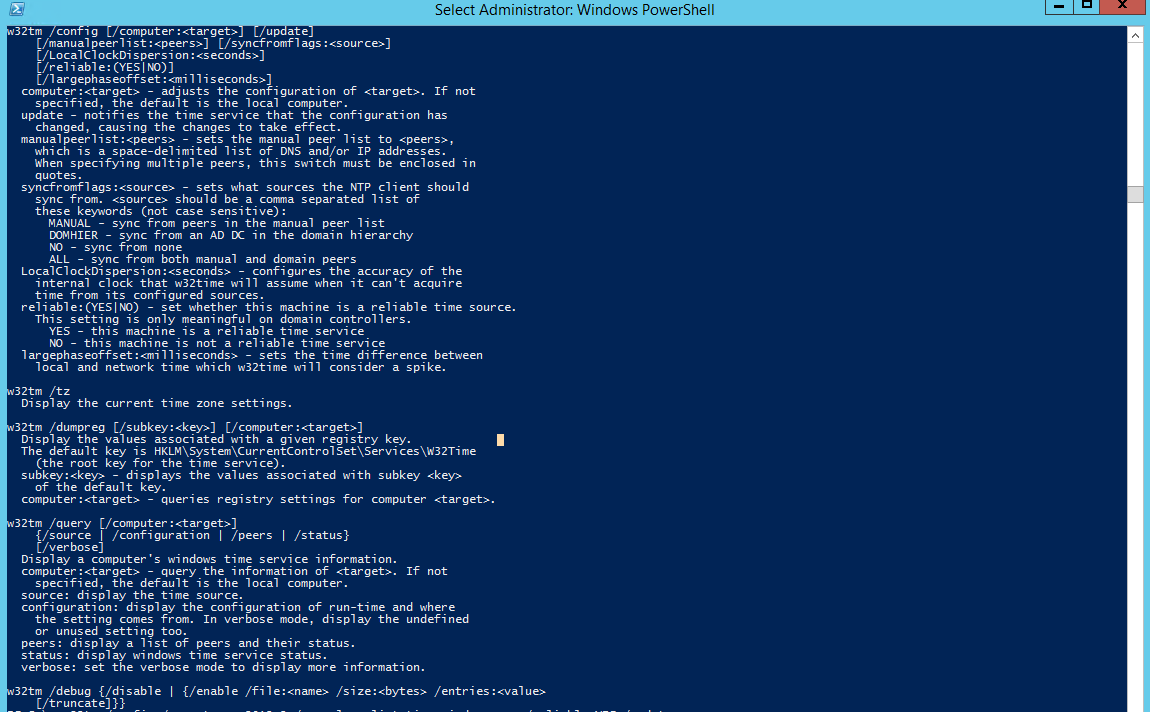
At this time, I am more interested in the /config switch of the w32tm tool and it's available parameters :
w32tm /config [/computer:] [/update]
[/manualpeerlist:] [/syncfromflags:]
[/LocalClockDispersion:]
[/reliable:(YES|NO)]
[/largephaseoffset:]
Configure the Domain Controller 'WS2012R2' as Time Server:
PS C:\Users\admin\> w32tm /config /computer:ws2012r2 /manualpeerlist:time.windows.com /reliable:YES /syncfromflags:Manual /update
The command completed successfully.
Resync the Time on The Server:
[ws2012r2]: PS C:\Users\admin\Documents> w32tm /resync /nowait /rediscover
Sending resync command to local computer
The command completed successfully.
Restart the Time Service:
[ws2012r2]: PS C:\Users\admin\Documents> Restart-Service -Name w32time
Query for the current Time Source:
[ws2012r2]: PS C:\Users\admin\Documents> w32tm /query /source
time.windows.com
Configure the second domain controller (DC01) Time Source as WS2012R2 :
PS C:\> Enter-PSSession -ComputerName dc01
[dc01]: PS C:\Users\admin\Documents> w32tm /query /source
VM IC Time Synchronization Provider
[dc01]: PS C:\Users\admin\Documents> w32tm /config /syncfromflags:domhier /update
The command completed successfully.
[dc01]: PS C:\Users\admin\Documents> Restart-Service -Name w32time
[dc01]: PS C:\Users\admin\Documents> w32tm /resync /nowait /rediscover
Sending resync command to local computer
The command completed successfully.
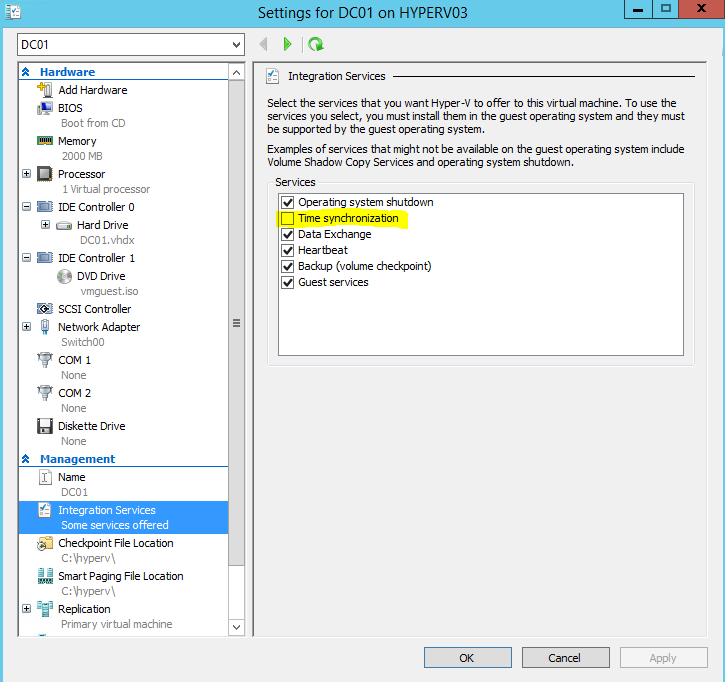
Disable VM Time Synchronization on the second domain controller (DC01):
Verify Time Source on DC01 :
[dc01]: PS C:\Users\admin\Documents> w32tm /query /source
WS2012R2.domainname.net
The result of the query shows DC01 time source as WS2012R2 domain controller. The domain time on the client machines also automatically reset to the new time.
 Chinny Chukwudozie, Ai architecture.
One response to “Configuring Active Directory Time using the W32TM Utility.”
[…] time to a preferred external ntp time source on local network. In this case, a domain controller(Past post on Active Directory Time): LabL3Switch(config)#ntp server 10.0.0.20 […]