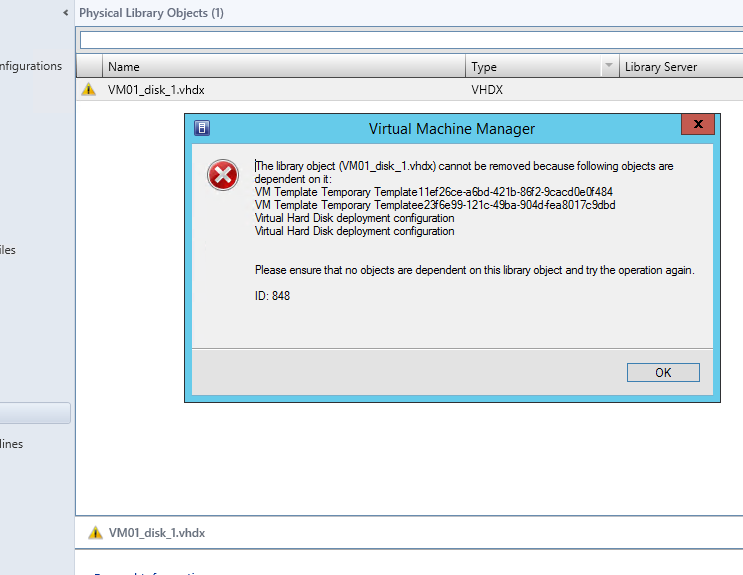
While going through a house cleaning task in System Center Virtual Machine Manager 2012 R2, I found that I couldn’t remove a vhdx file that was part of a template.This is because the vhdx still had a dependency called “Temporary Template11ef26ce-a6bd-421b-86f2-9cacd0e0f484”:
Since I couldn’t remove the temporary template from the graphical user interface, I resorted to powershell to accomplish this with the Get-SCVMTemplate cmdlet. The screen below shows a snapshot of the result:
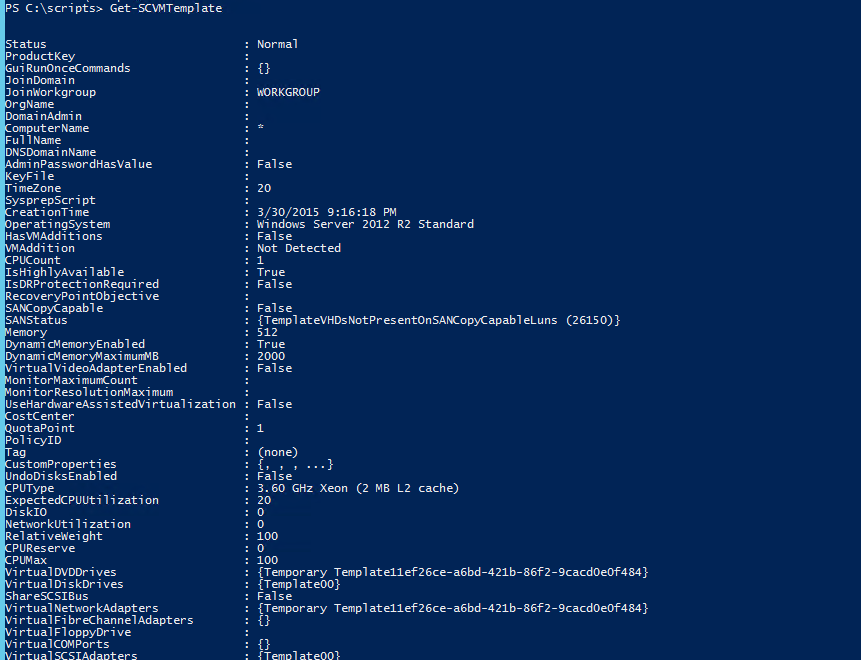
The result from the above query is piped to the Remove-SCVMTemplate to remove the erring template:

PS C:\scripts> Get-SCVMTemplate -Name "Temporary Template11ef26ce-a6bd-421b-86f2-9cacd0e0f484" | Remove-SCVMTemplate
After running the script successfully, the dependency is seen to be removed.


 Chinny Chukwudozie, Cloud Solutions.
Leave a reply to rishipandit Cancel reply