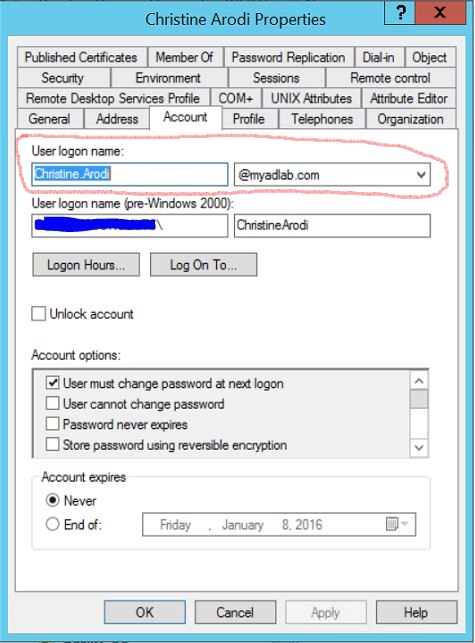
As part of the Office 365 Configuration and migration project, we’ve had to define and create an alternate upn (UserPrincipalName) suffix for an internal Active Directory domain that is not publicly routable. Updating the upn for every user in the Active Directory Domain could be a tedious task if done manually. Following is a screen shot of a user object upn before the script run:

To quickly and efficiently accomplish this task while avoiding unnecessary errors, I wrote a short PowerShell function "update-upnsuffix" to make the updates by OU (Organizational Unit):

function Update-UpnSuffix{
$newupn=(Get-ADForest).upnsuffixes[1]
Get-ADUser -Filter * -SearchBase "OU=Production_OU,OU=Users-All,DC=Genesysconsults,DC=net" |
ForEach-Object { Set-ADUser -Identity $_ -UserPrincipalName (($_.GivenName) + '.' + ($_.Surname) + '@' + ($newupn)) }
} Update-UpnSuffix
The first line of the script uses the Get-ADForest cmdlet to extract the first element of the upnsuffixes collection property and assigns it to the $newupn string variable.
The second line of the script queries the user objects in the specified OU , pipes the result to a ForEach-Object cmdlet and updates the upn for each user object in the result set. Screen shot of an in-scope user object after the script run is attached:
The script could be adapted to any Active Directory environment.
 Chinny Chukwudozie, Ai architecture.